Load media - HP DeskJet 3755 Printer
Load media - HP DeskJet 3755 Printer
Select a paper size to continue.
To load full-size paper
- Raise the input tray and input tray extender.

- Insert a stack of paper into the input tray with the short edge down and the print side up, and slide the stack of paper down until it stops.
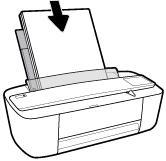
- Slide the paper-width guide to the right until it stops at the edge of the paper.

10 Chapter 2 Get started ENWW
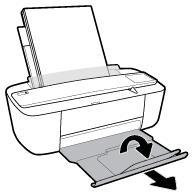
- Pull out the output tray and the output tray extender, and then lift the paper catch.
Check Also: HP Officejet 7612
To load small-size paper
- Raise the input tray and input tray extender.
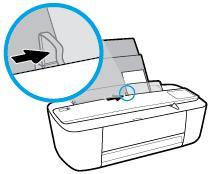
- Insert a stack of photo paper into the far-right side of the input tray with the short edge down and the print side up, and slide the stack of paper down until it stops.

- Slide the paper-width guide to the right until it stops at the edge of the paper.
ENWW Load media 11
- Pull out the output tray and the output tray extender, and then lift the paper catch.

To load envelopes
- Raise the input tray and input tray extender.
- Insert one or more envelopes into the far-right side of the input tray and slide the stack of envelopes down until it stops. The side to be printed on should face up.

- Slide the paper-width guide to the right against the stack of envelopes until it stops.

12 Chapter 2 Get started ENWW
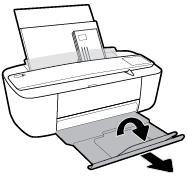
- Pull out the output tray and the output tray extender, and then lift the paper catch.
ENWW Load media 13
https://hpusermanualguide.com/
Comments
Post a Comment